How to spot an AI political ad before you vote (or share it)
Oct. 28, 2026 · The Working Bits · About 5 minutes, costs nothing
Campaigns have spent more than $137 million this year on ads made at least partly with AI, and only about 1 in 4 of them tells you so. There's no federal rule that says they have to. So this one's on us. The good news: you don't need special software. You need a few habits and about 30 seconds.
Watch it (3:46)
Prefer to read? Every step is written out below. Short on time? Watch the 33-second version. Watch on YouTube or subscribe to The Working Bits for more how-tos.
At a glance
- Time: 30 seconds per clip
- Cost: free
- Works on: TV ads, YouTube, Facebook, TikTok, texts and group chats
- Golden rule: the angrier a clip makes you, the more it deserves a second look, whichever side it's on.
Step 1: Look for the label
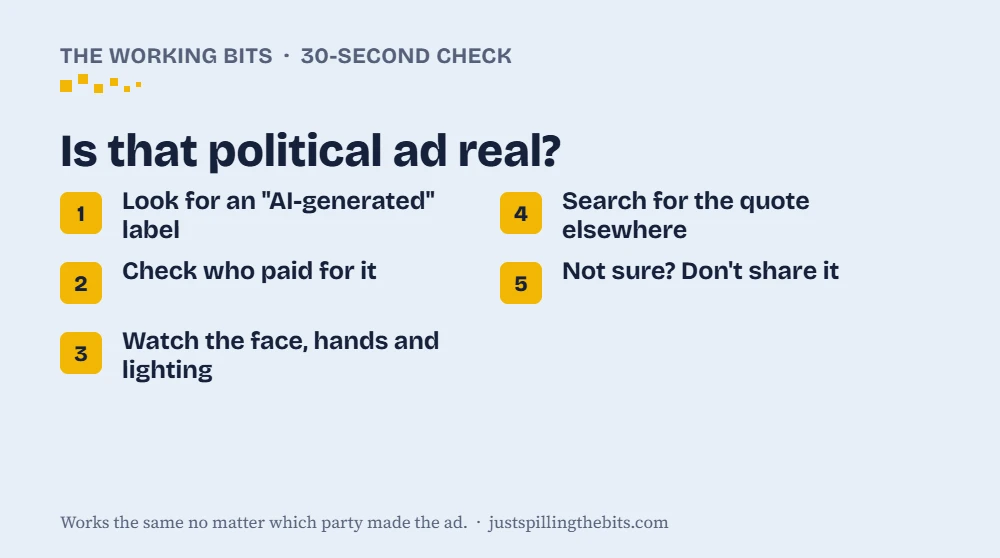
Start with the easy one. Check the opening and closing seconds and the fine print for words like "AI-generated," "digitally altered" or "this video contains synthetic media." Some campaigns flash the label for only a couple of seconds at the start.
A label isn't a free pass. It tells you the scene isn't real. And no label doesn't mean it's real, because about 73% of this year's AI ads had none.
Step 2: Check who paid for it
Political ads have to say who paid for them ("Paid for by..."). Note the name. If it's a group you've never heard of, a quick search usually shows who's behind it and which side it supports. That helps you read the ad for what it is: an argument, not the news.
If a video has no "paid for by" line and is just floating around social media or a group text, be extra careful. Nobody's standing behind it.
Step 3: Watch it like a detective
AI video has gotten good, but it still trips over the same few things. Here's what I watch for, grouped by where to look:
- The mouth. This is the one I see most in my own AI videos: lips that run a beat off the audio, or teeth that smear into one white blur.
- The face and body. Check whether the expression fits the words. A calm face saying something outrageous is a warning sign. Look at the hands and arms too, where skin color can drift, and at eyes or ears that don't quite match each other.
- The little stuff. Earrings that vanish between shots, or glasses that float off the nose.
- The scene. Shadows that point different ways, light that flickers, and edits that cut away every couple of seconds because the AI can't hold one long shot.
- The crowd. If other people in the clip react strangely, or not at all, to something shocking, pay attention.
Several of these come from deepfake research at Carnegie Mellon University (linked below), and the mouth tip comes from my own time making AI videos.
None of these proves anything by itself. Two or three together is a red flag.
Step 4: Ask, "Would this really be the only place I'd see this?"
If a candidate really said something outrageous on camera, it would be everywhere: local news, national news, the other campaign's press releases. Search the candidate's name plus a few words from the quote. If the only place it exists is one ad or one viral post, that's your answer.
Good free places to check:
- The candidate's official website and social accounts, to see what they actually said
- Fact-checkers like AP Fact Check, PolitiFact, FactCheck.org and Snopes
- Reverse image search: take a screenshot and run it through Google Lens or TinEye to find where a picture first showed up
Step 5: Pause before you share
This is the step that matters most. A fake only works if people pass it along. If you're not sure, don't share it. If you've already shared something that turned out to be fake, a quick "heads up, this one's fake" helps more than you'd think.
You can also report a misleading ad on most platforms. On Facebook, YouTube and TikTok, tap the three dots on the post and choose Report.
What the law says (it depends where you live)
- Federal: There's no federal law requiring AI disclosure in political ads. A bill has been introduced but hasn't passed.
- States: More than 30 states have their own election deepfake laws. Some require labels, and some ban misleading deepfakes close to an election. Public Citizen keeps a free state-by-state tracker (linked below) where you can look up yours.
- Texas: It's a Class A misdemeanor to create a deepfake video meant to hurt a candidate or sway an election and get it published within 30 days of the vote. That window is open right now, since Election Day is Nov. 3.
My take
I make AI videos for this site, so I know firsthand how convincing they've gotten, and how fast. That's exactly why I don't think the answer is to distrust everything. That's what the fakers win with. The answer is to slow down for the clips that are built to make you mad. Thirty seconds of checking beats sharing a fake with your whole family.
Read the full story
The first AI election: $137 million in AI-made ads, and the AI money behind the races.
I use AI tools, including Claude, to help research and write. These tips work the same no matter which party made the ad.
Sources:
- Carnegie Mellon: how to spot election deepfakes
- Gizmodo: $137 million and 27% disclosed (Wesleyan Media Project)
- Public Citizen: state deepfake law tracker
- Texas Election Code §255.004
- IBTimes: federal bill and state laws
More to read
- From MKUltra to AI: the long history of messing with your mind
- Forced to pick, two big AIs split along party lines
- Real race, fake videos: AI ads take over the Texas Senate fight
- What Trump is actually doing about AI, and what Americans think of it
- The first AI election: $137 million in AI-made ads, and the AI money behind the races