Is this a scam? How I use AI to check suspicious emails and texts
Nov. 5, 2026 · The Working Bits
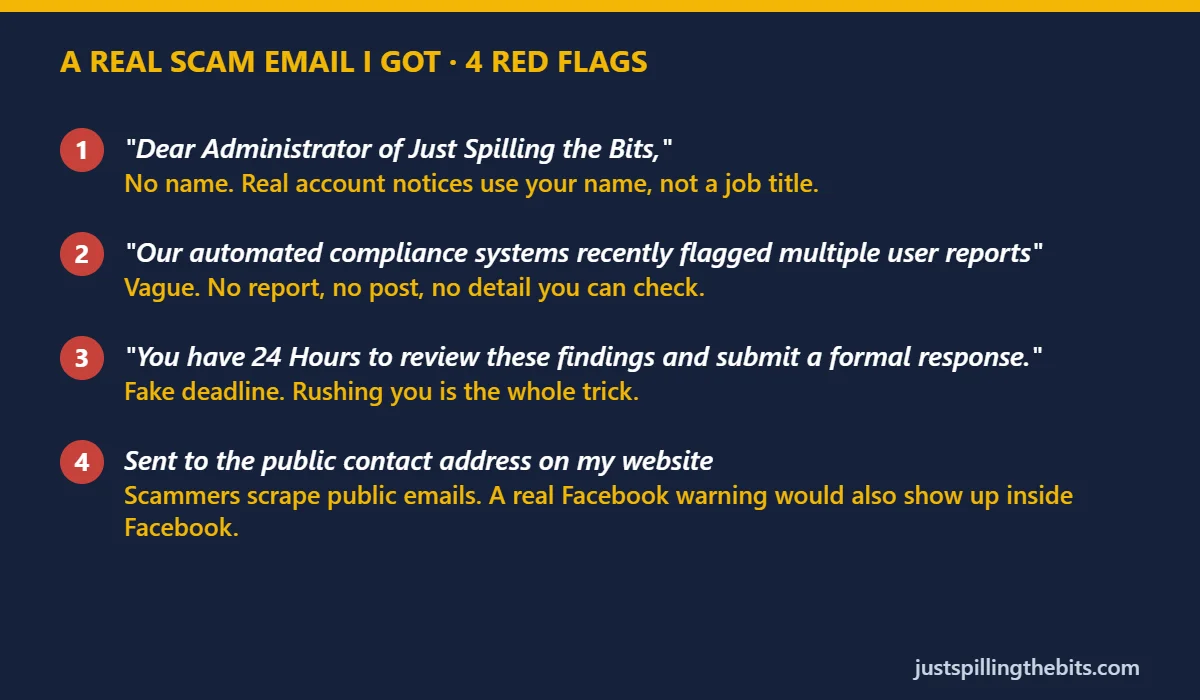
This week an email landed in the inbox for this site. It said Facebook's "compliance systems" had flagged my Page, and I had 24 hours to respond. It looked official enough to make your stomach drop. It was a scam. Here's how I checked it with AI in about 30 seconds, and how you can do the same with any text or email that feels off.
What's actually going on
Scammers know that anyone running a Facebook Page, a small business or a YouTube channel is scared of losing it. So they send fake "your account has been reported" emails with a deadline and a button. The button leads to a look-alike login page, and once you type your password there, they own your account.
The same trick shows up as fake package texts, fake bank alerts and fake "your subscription expired" emails. The details change, but the recipe doesn't: create panic, add a deadline, and get you to click before you think.
Safety first
Never paste passwords, one-time codes or bank numbers into an AI chat, and never into a page you reached from a suspicious message. You don't need any of that to check a scam.
The 6 steps
- Don't click anything.Not the button, not the links, not the attachment, and don't reply. Just looking at an email is fine. Clicking is where the trouble starts.
- Take a screenshot or copy the text.A screenshot works great with Claude and most AI chats. If the message has your own personal info in it, crop that part out first.
- Paste it into an AI chat with the prompt below.I used Claude. Ask it to list the red flags and tell you how the real company would actually contact you.
- Read the red flags it finds.For my email, Claude flagged four things in seconds: a generic "Dear Administrator" greeting with no name, a vague claim about "multiple user reports" with nothing you can check, a fake 24-hour deadline, and the fact that it went to the public contact address on my website, which anyone can copy.
- Check the real way, on your own.Open the app or type the website address yourself. Don't use anything from the message. For a Facebook Page, a real problem would show up inside Facebook. For a bank, call the number on the back of your card. If nothing's there, the email was fake.
- Report it and delete it.Use your email's "Report phishing" or "Report spam" button so it helps catch the next one, then delete it. I did exactly that with mine.
Copy this and paste it into Claude (or any AI chat)
Is this a scam? I got this message (screenshot or text below). List the red flags, tell me how the real company would contact me instead, and tell me how to check safely without clicking anything in the message.
One honest warning
AI is good at spotting the classic tricks, but it can be wrong in both directions. If it says a message "looks legit," don't take that as permission to click. Step 5 is the real test: go to the company directly. The AI just helps you slow down and see what you might have missed.
A second one: the "gift" that never existed
The same week, a different trick showed up on my phone: a "Shipping Confirmation" saying a gift from someone named Michael had shipped and would arrive Saturday. It even had an order number, a price and my real name. I ran it through the same prompt, and the red flags were just as clear.
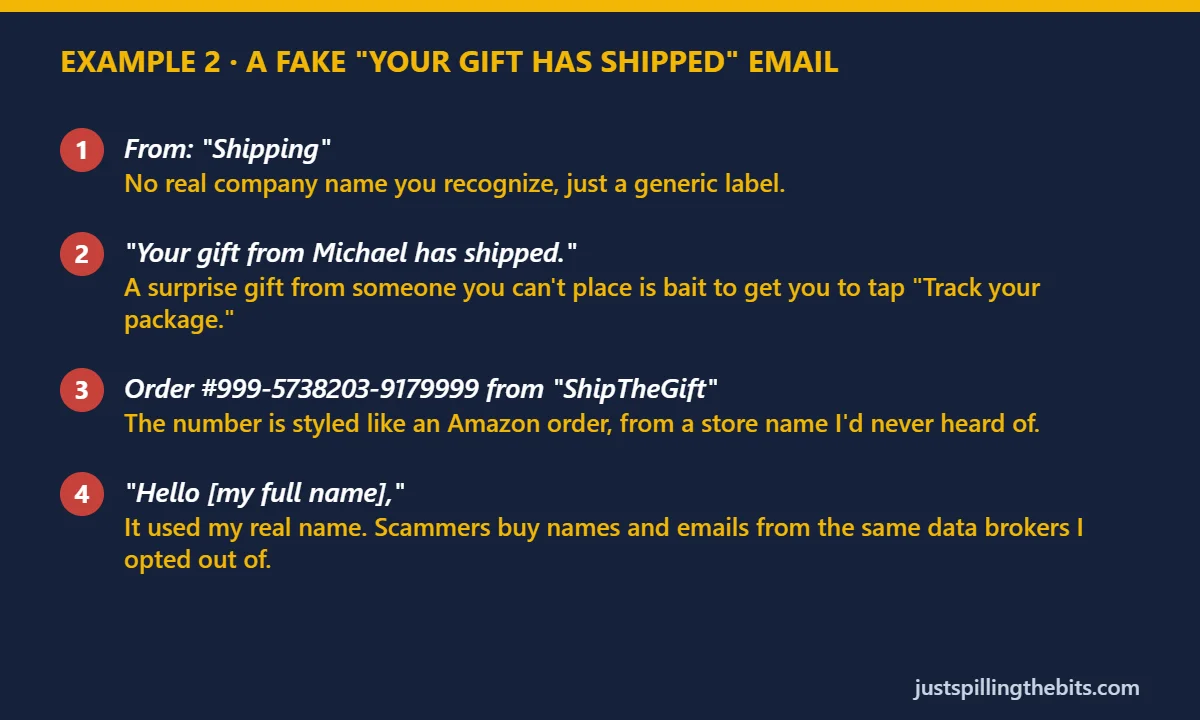
The safe check here is the same as step 5: if you think someone really sent you something, open Amazon or the store yourself, or ask the person directly using a number you already have. Don't tap "Track your package" in the email.
The bottom line
Scams work by rushing you. The best defense is a 30-second pause, and an AI chat makes that pause easy. Screenshot it, ask "is this a scam?", then check the real way. That fake Facebook warning got nothing from me but a spot in this article.
Red-flag card: original artwork made for this article, quoting a real scam email. I use AI tools, including Claude, to help research and write. Not legal or financial advice.